 PEX
Tamagotchi Sold Out? Keep a Virtual Pet on Your Phone
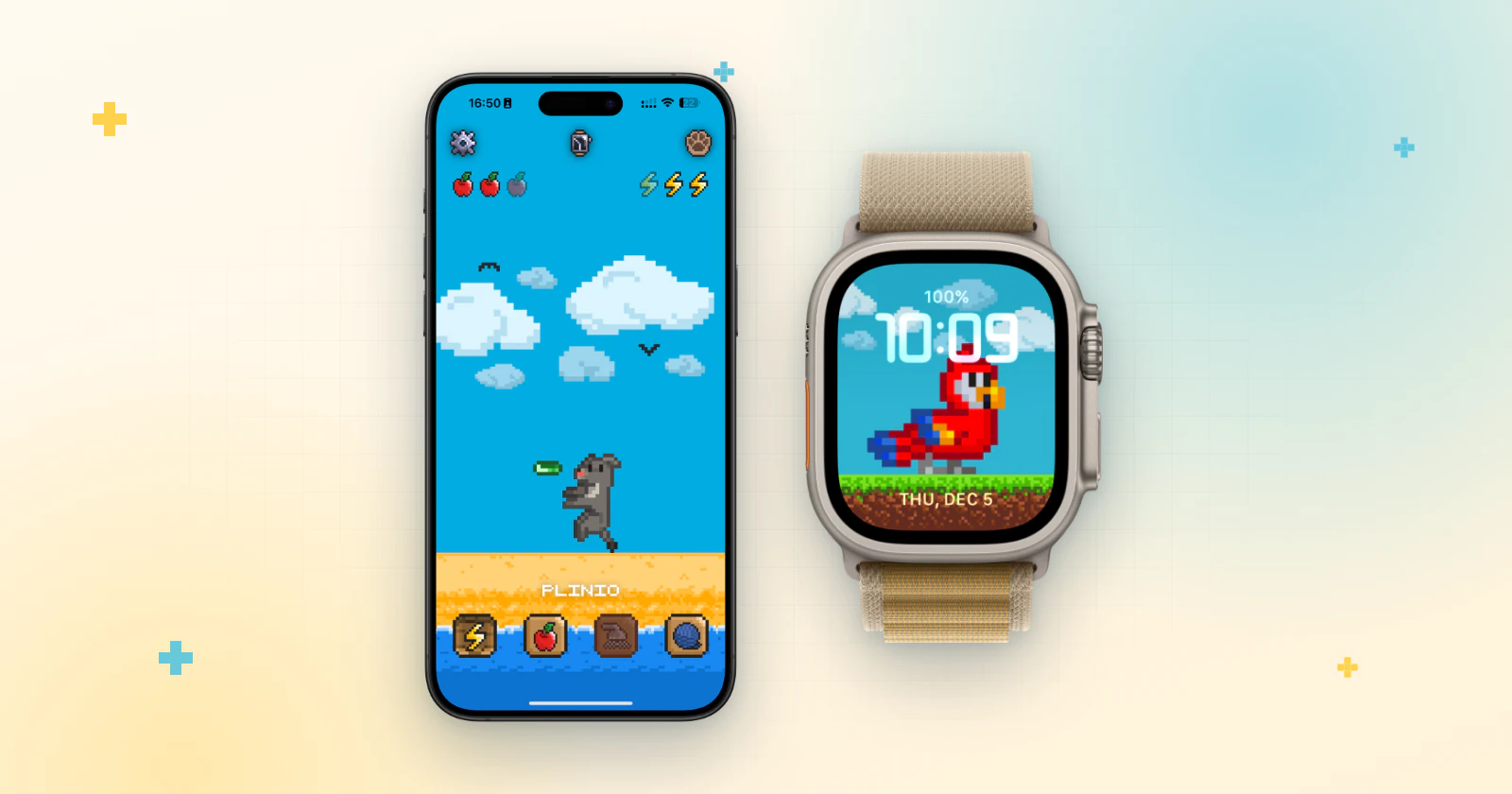
Short answer: if the Tamagotchi you wanted is sold out, or you'd rather not carry another device, a Tamagotchi-style app gives you the same daily pet care on the phone you already have. Pex is a free virtual pet app for iPhone, iPad, Mac, Apple Watch and Android where you can even create the pet yourself with AI.
The Tamagotchi turns 30 in November 2026, and virtual pets are back in the spotlight. When the toy you have in mind isn't on the shelf, your phone can do the job: a small pet with needs that change through the day, that lives on your Home Screen and on your wrist.
Toy or app: what changes
| Tamagotchi toy | Pex app | |
|---|---|---|
| What you need | The toy itself | The phone, tablet, Mac or Apple Watch you already use |
| The pet | Characters that hatch on the toy | Ready-made cats, dogs and wild animals, or your own pet created with AI |
| Care | Feeding, playing, cleaning up | Hunger, happiness, cleanliness and sleep that change through the day |
| Where you see it | On the toy's screen | Home Screen and Lock Screen widgets, the Dynamic Island and an Apple Watch face |
| Price | You buy the toy | Free to download, with an optional Premium upgrade |
Get your pet in a few minutes
- Download Pex from the App Store (or Google Play on Android) and open it.
- Open the animals screen and pick a pet from the Cat, Dog or Wild sections.
- Or make your own: tap the + in the AI section and Pex AI turns a photo of your real pet, a drawing, a toy or a keychain into a pixel-art pet. See how to turn a pet photo into pixel art and how to turn a drawing or toy into a pet.
- Give it a name, and your virtual pet is ready to look after.
Daily care, Tamagotchi style
Like the classic toy, your Pex counts on you. Its hunger, happiness, cleanliness and sleep rise and fall through the day, and you feed it, play with it, clean it and put it to bed. Every Pex has six animations (idle, eating, sleeping, cleaning, playing and running) and reacts to how you take care of it. Neglect it, and your Pex will let you know.
To get reminders, open settings in Pex and, under notification, choose the type: Daily summary or Need based.
Always in sight, no extra device
- iPhone: put your pet on the Home Screen and Lock Screen with widgets, or in the Dynamic Island.
- Apple Watch: keep it on your wrist as a watch face or in the watch app.
- Android: add it to your Home Screen with widgets.
- iPad and Mac: Pex runs on both, so your pet is there when you work or relax.
With Cloud Backup on, your Pex and its progress are saved to iCloud on Apple devices or to Google Drive on Android, so you don't lose it when you change phones. The optional premium upgrade unlocks all animals and watch faces, removes ads and adds special widgets and Dynamic Island options, plus eternal life and random actions. Learn more about the Pex virtual pet app.
FAQ
Is there a Tamagotchi app for iPhone?+
Pex is an independent Tamagotchi-style virtual pet app for iPhone, iPad, Mac, Apple Watch and Android. It is not made by Bandai, the maker of Tamagotchi.
Is Pex free?+
Yes. Pex is free to download on the App Store and Google Play. An optional Premium upgrade unlocks extra features.
Do I need a separate device?+
No. Pex lives on your phone, in Home Screen and Lock Screen widgets, and on your Apple Watch as a watch face.
Can my virtual pet look like my real pet?+
Yes. Pex AI turns a photo of your real pet, a drawing, a toy or a keychain into a pixel-art pet with six animations that you can adopt.
Will I lose my pet if I change phones?+
No. With Cloud Backup on, your Pex is saved to iCloud on Apple devices or to Google Drive on Android. Sign in with the same Apple ID or Google account on the new phone to get it back.
Tamagotchi is a trademark of Bandai. Pex is an independent app and is not affiliated with or endorsed by Bandai.