 PEX
PEX
How to Put a Virtual Pet on Your iPhone Lock Screen
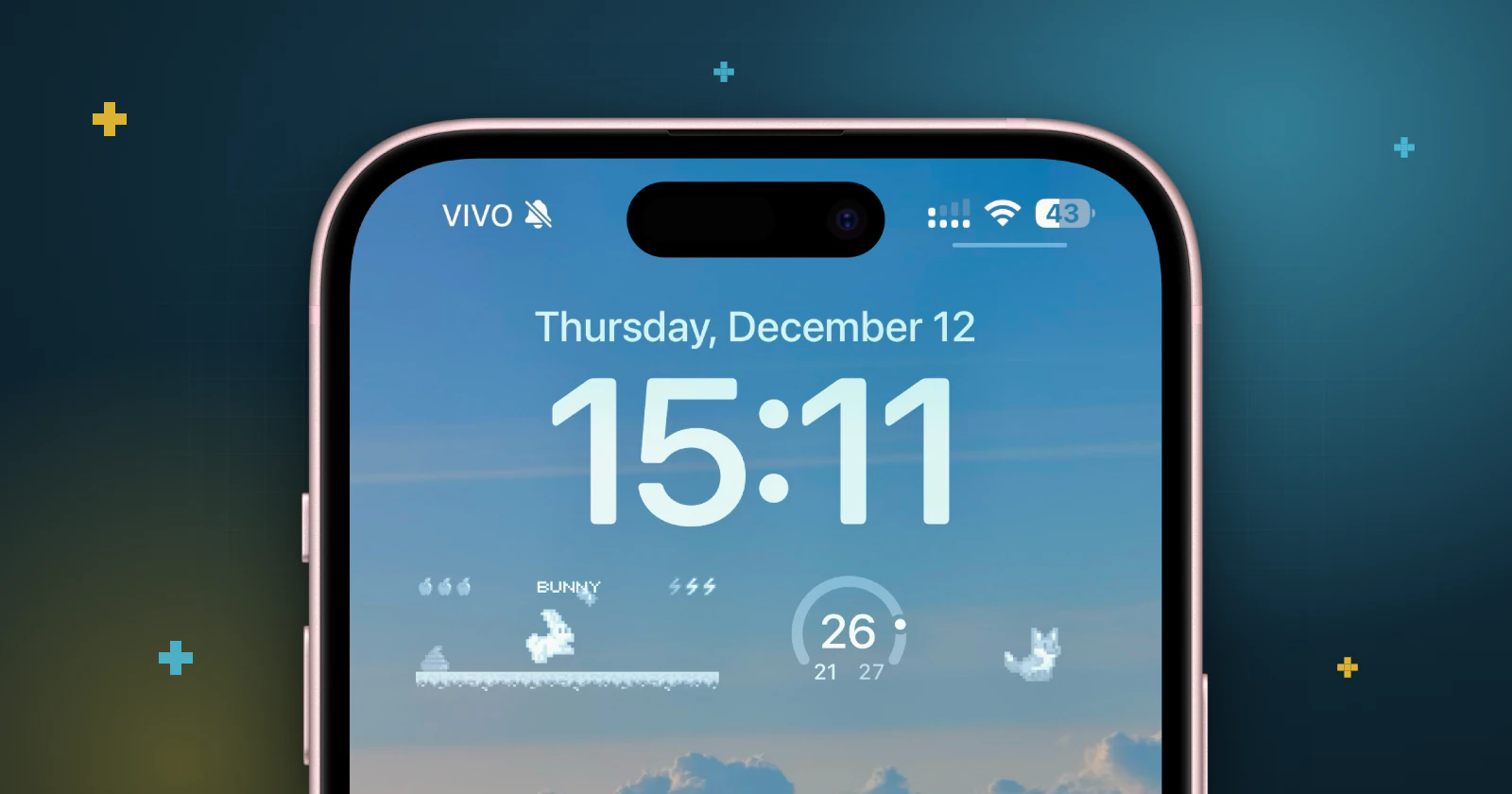
Short answer: install Pex (free) and create your pet. Then touch and hold the Lock Screen, tap Customize, choose Lock Screen, tap the widget area below the time and add the Pex widget.
On the Lock Screen your pet is visible at a glance, before you even unlock your iPhone. It is the quickest way to check on it during the day, like glancing at a classic Tamagotchi.
Before you start
Download Pex from the App Store, open it and adopt or create your pet. With Pex AI you can turn a photo of your real pet, a drawing, a toy or a keychain into a pixel-art pet.
Add the Pex widget to your Lock Screen
- Touch and hold the Lock Screen until Customize appears, then tap it.
- Choose Lock Screen.
- Tap the widget area below the time.
- Find Pex in the list and tap the widget to add it.
- Close the widget list and tap Done.
Tips
- Use the Lock Screen and Home Screen together: a quick glance on the Lock Screen, a bigger view once you unlock. Here is how to add Pex to your Home Screen.
- Pex also shows quick moments in the Dynamic Island.
- Your pet's needs change through the day. If you see it needs something, open Pex to feed it, play with it or clean it. Neglect it, and it will let you know.
- On Apple Watch, your pet can live on your watch face: see how to put Pex on your Apple Watch.
FAQ
Can I have a virtual pet on my iPhone Lock Screen?+
Yes. Pex has Lock Screen widgets. Touch and hold the Lock Screen, tap Customize, choose Lock Screen and add the Pex widget below the time.
Can I have my pet on the Lock Screen and the Home Screen at the same time?+
Yes. Pex has both Lock Screen and Home Screen widgets, and you can use them together.
Is Pex free?+
Yes. Pex is free to download on the App Store and Google Play. An optional Premium upgrade unlocks extra features.
Tamagotchi is a trademark of Bandai. Pex is an independent app and is not affiliated with or endorsed by Bandai.