 PEX
How to Turn a Drawing, Toy or Keychain into a Virtual Pet
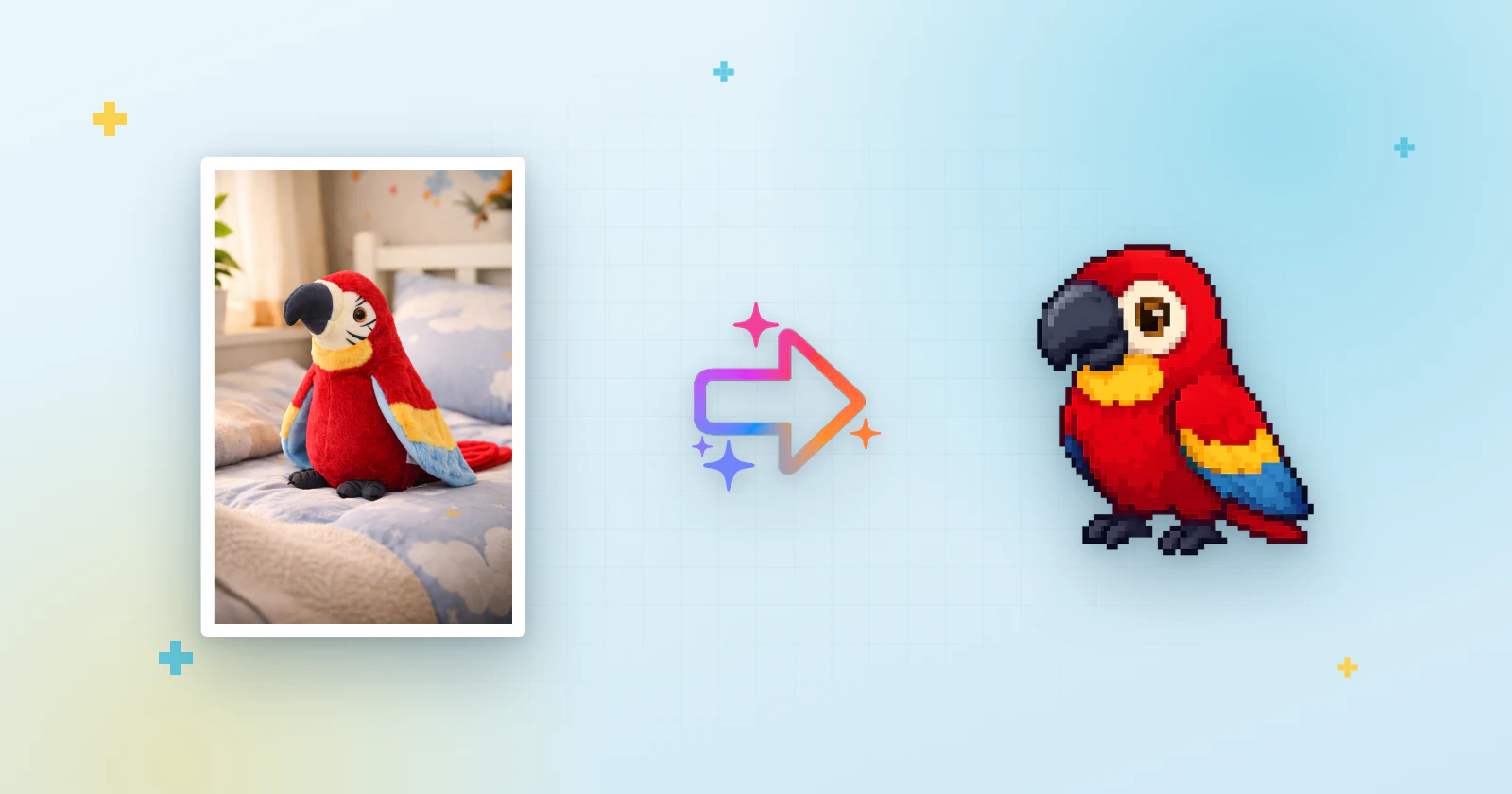
Short answer: take a clear photo of the drawing, toy or keychain, then in Pex tap the + in the AI section of the animals screen, pick the photo and choose Character. Pex AI turns it into a pixel-art pet with six animations that you name and adopt as your virtual pet.
A drawing on the fridge, a plush that goes everywhere, a keychain hanging from a backpack: they already feel like characters. With Pex AI they can become a Tamagotchi-style pet that eats, sleeps and plays on your Home Screen, Lock Screen and Apple Watch. This guide focuses on drawings and objects; for photos of a real dog or cat, see how to turn a photo of your pet into pixel art.
Ideas for your first pet
- A child's drawing: the monster, cat or dinosaur your kid drew, now living on your phone.
- Your own doodle: a character you sketch in the margins of your notebook.
- A plush toy: a childhood teddy or the stuffed animal on the bed.
- A keychain or small figure: the little friend that goes with you everywhere.
Only use images you own or have permission to use, and avoid images with copyrighted content, violence or nudity. Characters you or your family created are the safest choice.
How to photograph a drawing
- Lay it flat and shoot from directly above, so the shape isn't stretched.
- Use daylight and keep your phone's shadow off the paper.
- Fill the frame with the character and crop out the table, other doodles and text.
- Bold lines and strong colors come through best. If the drawing is faint, go over the outline with a marker first.
- One character per photo. If the page has several, crop it so only one is left.
How to photograph a toy or keychain
- Get close, so the toy fills most of the photo. Small keychains look best almost touching the frame edges.
- Plain background: a white sheet of paper, a wall or a table with nothing else on it.
- Show the whole toy from the front, standing up if it can, so the AI sees its face, arms and legs.
- Soft light near a window keeps the colors true and avoids shiny spots on plastic.
Step by step in Pex
- Download Pex from the App Store and open it.
- Open the animals screen and tap the + in the AI section. On the Pex AI screen, tap create.
- Select photo: take one with Camera or pick it from your Library. Under What is in the photo?, choose Character and tap Next.
- Base image: if you like the pixel-art version, tap Bring it to life!. If not, tap Recreate.
- Animations: Pex AI creates idle, eating, sleeping, cleaning, playing and running. Keep the app open while it works, and recreate any animation you don't like.
- Final: give it a name and a breed (anything goes: "dragon", "teddy", "blob"), leave Backup & Sync on and tap Adopt.
Creating a pet uses one Pex AI generation. You can get more on the Pex AI screen or earn a free one by sharing Pex with friends. Pex AI is also available in the Android app.
Your drawing, now alive
From here it is a real Pex with hunger, happiness, cleanliness and sleep that change through the day. Kids can feed it, play with it and put it to bed, and you can keep it on your iPhone Home Screen or on your wrist with the Apple Watch app. Want to know more about the app? Read what Pex is and how it works.
FAQ
Can I turn my child's drawing into a virtual pet?+
Yes. Take a photo of the drawing, choose Character in Pex AI, and Pex turns it into a pixel-art pet with six animations that you can adopt.
Should I choose Animal or Character?+
Choose Animal for a photo of a real animal and Character for drawings, toys, keychains and figures.
Does a plush toy or keychain work?+
Yes. Photograph it up close against a plain background so it fills most of the frame.
Can I use a famous cartoon character?+
Only upload images you own or have permission to use, and avoid copyrighted content. Your own drawings and characters are the best choice.
What if the pet doesn't look like the drawing?+
Tap Recreate on the base image to get a new version, and recreate any animation you don't like. The number of tries is limited, so a clear photo helps on the first try.
Tamagotchi is a trademark of Bandai. Pex is an independent app and is not affiliated with or endorsed by Bandai.