 PEX
How to Take Care of Your Virtual Pet: Hunger, Happiness, Cleanliness and Sleep
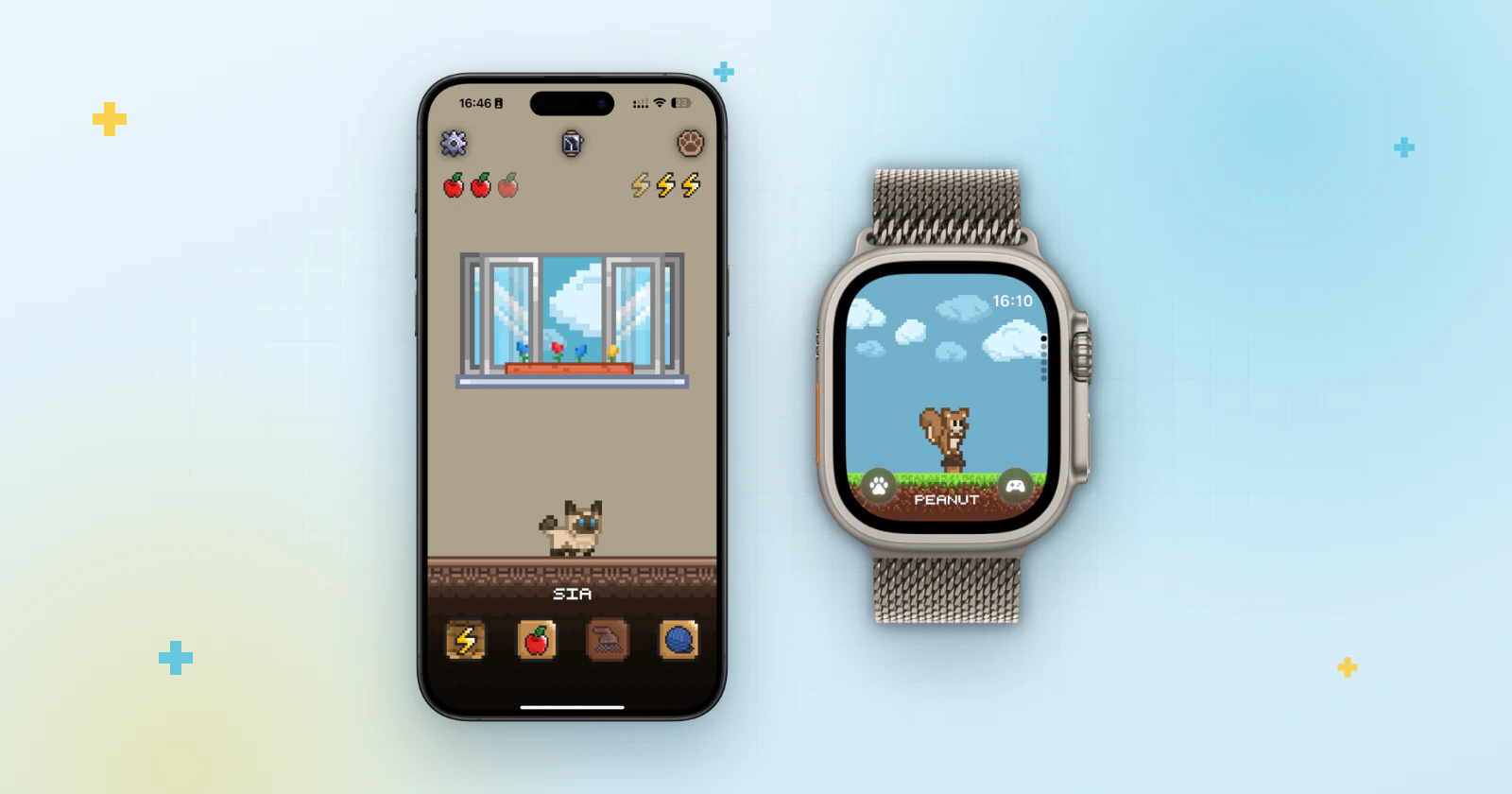
Short answer: to take care of your virtual pet, keep up with its four needs: feed it when it's hungry, play with it, clean it and put it to bed. In Pex these needs change through the day, so a few short check-ins work well, and you can turn on reminders so you don't forget.
Like the classic Tamagotchi, a virtual pet counts on you. The idea is simple, but it helps to know what each need means and how to keep up without thinking about it all day. Here is how it works in Pex, on your phone, your wrist and your Home Screen.
The four needs of your pet
Your Pex has four needs that rise and fall through the day. Each one has its own care action and animation, so you can often tell what it wants just by looking at it.
| Need | What you do | Animation you see |
|---|---|---|
| Hunger | Feed it | Eating |
| Happiness | Play with it | Playing |
| Cleanliness | Clean it | Cleaning |
| Sleep | Put it to bed | Sleeping |
Don't have a pet yet? Download Pex from the App Store (or Google Play on Android), then pick one in the app or create your own: Pex AI can turn a photo of your real pet into pixel art.
Where you can take care of it
- In the app: open Pex and use the four care buttons on the main screen.
- On Apple Watch: open the Pex app on the watch and go to Actions, where you'll find Eat, Sleep, Clean and Play. More in how to have a virtual pet on Apple Watch.
- In the Dynamic Island: touch and hold it to feed your pet, clean it, play with it or put it to sleep without opening the app. See how to have a pet in the Dynamic Island.
A simple daily routine
- Keep your pet in sight. Put it on your iPhone Home Screen or Android Home Screen with a widget, so you see it every time you unlock your phone.
- Check in a few times a day. Needs change through the day, so a few short visits fit better than one long session.
- Take care of whatever it needs at that moment. A quick feed, a clean or a game is usually all it takes.
- Put it to bed. Sleep is one of its needs too, so don't forget it at the end of the day.
Set up reminders
If you tend to forget, let Pex remind you. Tap the gear button to open settings and, under notification, choose the type:
- Daily summary: pick one hour for your reminder.
- Need based: pick a separate time for each need: Food hour, Play hour, Clean hour and Sleep hour.
What happens if you forget
Missing a check-in is no drama, because your Pex will let you know when you've neglected it. But just like on the classic toy, leaving it alone for too long has consequences: your pet can die. If that happens, tap Revive to bring it back.
The optional premium upgrade adds Eternal life, which you'll find in settings under Animal options, for anyone who wants a companion without that worry. Learn more about the Pex virtual pet app, or read how pet care started in 30 years of the Tamagotchi.
FAQ
How do you take care of a virtual pet?+
You look after its needs. In Pex that means feeding it, playing with it, keeping it clean and putting it to bed as its hunger, happiness, cleanliness and sleep change through the day.
How often should I check on my pet?+
A few short check-ins a day work well, because needs change through the day. A widget keeps your pet in sight, and notifications can remind you.
Can my virtual pet die?+
Yes. If you leave your Pex alone for too long, it can die. You can bring it back with the Revive button, and the optional Premium upgrade adds Eternal life.
Can I take care of my pet without opening the app?+
Yes, on iPhone with Dynamic Island. Touch and hold the Dynamic Island to feed your pet, clean it, play with it or put it to sleep. You can also care for it from the Pex app on Apple Watch.
Can Pex remind me to take care of my pet?+
Yes. In settings, under notification, choose Daily summary for one reminder or Need based to pick a time for food, play, cleaning and sleep.
Tamagotchi is a trademark of Bandai. Pex is an independent app and is not affiliated with or endorsed by Bandai.